How Can I Make My Dark-Themed PFP Visible on Light Mode Feeds?
Profile pictures (PFPs) are a vital part of your online identity, especially in gaming communities and social platforms like Discord. However, when you design a dark-themed avatar, it can easily get lost or become hard to distinguish on light mode feeds. If your PFP looks fantastic on a dark background but fades into the white space of light mode, it’s time to consider techniques that improve light mode contrast and overall pfp visibility.
In this post, I’ll dive deep into the essential design principles and practical tips you can use to make your dark-themed PFP stand out no matter where it’s displayed. Leveraging my 10 years of experience as a gaming community moderator and freelance illustrator, I will cover:
- Why silhouette recognition is critical for avatars
- The importance of mobile-first readability and how to optimize your avatar for small screens
- Using contrast and separation techniques to improve visibility in light mode
- Ensuring face and expression clarity for better connection and recognition
- Discord-specific tips including using avatar borders and testing your PFP on different themes
Understanding Silhouette Recognition: The Core of PFP Readability
One of the quickest ways people recognize avatars is through their silhouette—the overall shape without internal details. This is especially true on Discord where avatars are often seen at very small sizes, like in server member lists or mobile chats. If your PFP silhouette blends with the background, it’s lost before any details like faces or text can be noticed.
Get more informationWhy Silhouette Matters
Consider the difference between seeing a shape vs. reading details:
- Silhouettes are faster for the brain to process; giving your avatar a strong, unique shape means it’s easier to identify at a glance. Strong silhouettes also help across different platforms and themes (dark vs. light), especially when avatars are scaled down.
How to Create a Good Silhouette for Dark-Themed PFPs
- Use simple, bold shapes: Avoid overly intricate outlines that get muddled in small sizes.
- Include a contrasting outline or border: This is crucial to separate your dark avatar from light mode backgrounds.
- Circular Cropping Preview: Always preview your avatar cropped in a circle (not square) because Discord displays avatars in circular frames.
Here is a comparison of two avatars (conceptual):
Avatar Silhouette Visibility in Light Mode Dark character with no border, complex outline Fades into white background, hard to recognize Dark character with a thick light-colored border and simple outline Stands out clearly, easily identifiableMobile-First Readability: Designing Avatars for Small Screens
Over 70% of Discord users interact via mobile. On small screens, the size of avatars shrinks significantly. Tiny details, complex backgrounds, and small text become unreadable. A dark-themed avatar can be particularly challenging because dark colors tend to merge into shadows or screen bezels.
Key Mobile-First Design Tips
- Avoid Tiny Text: Many avatars fall into the trap of including player levels, usernames, or tiny icons inside the PFP. These details won’t be legible on mobile or at thumbnail sizes.
- Prioritize Face and Expression: When possible, focus on expressive features or iconic headgear that reads clearly at small sizes. Faces should neither be too small nor crowded.
- Test on Multiple Devices: Preview your avatar on actual phones under both dark and light themes to catch visibility issues early.
Mastering Contrast and Separation for Light Mode Feeds
Contrast is king when it comes to avatar visibility, especially with dark-themed images on light backgrounds. The goal is to create separation so your avatar doesn't "blend into" light mode feeds.
1. Use Contrasting Borders and Glows
A thoughtfully applied border is one of the easiest and most effective ways to boost pfp visibility. Since Discord avatars are circular:
- Use a 2-4 pixel border of a light or bright color (white, pale yellow, or soft pastel) around your dark avatar silhouette to create separation from light backgrounds.
- If your avatar has a dark background, consider a subtle glow or inner stroke to make the edges pop.
2. Simplify or Remove Busy Backgrounds
Complex, textured backgrounds can become visual noise at small sizes, especially in light mode where there is less visual weight. Instead:
- Opt for clean, solid-colored backgrounds that contrast well with your main avatar color.
- Try neutral greys or mid-tone colors that won’t clash in either mode.
3. Use Color Contrast Wisely
- Make sure your dark characters or elements are balanced with lighter highlights to define edges.
- Incorporate light accent colors on dark areas, such as highlights on hair or clothing.
Face and Expression Clarity: Building a Connection
People respond best to faces they can read quickly. This is true for avatars too. If your dark-themed PFP either crops the face too tightly or renders it too small against the background, you lose emotional impact and memorability.
Tips to Improve Face Clarity in Dark-Themed Avatars
- Show Enough Detail: Avoid cropping faces at unnatural close-ups that obscure eyes, mouth, or key expressions.
- Use Highlights and Shadows: Carefully balance shading so facial features stand out despite the dark overall theme.
- Accent Facial Features with Light Colors: Use subtle highlights on eyes, teeth, or facial markings to catch attention.
Example: A shadowy silhouette with glowing eyes and a slight smile is far more readable than a small dark face with no contrast.
Discord-Specific Tips to Boost Your Dark-Themed PFP Visibility
1. Use Discord’s Built-In Avatar Border
Discord Nitro users can apply animated or colored avatar borders in some servers. These borders can improve contrast on light backgrounds while adding personal style.
2. Test Avatars on Both Dark and Light Mode
Before finalizing your avatar, make sure to check how it looks in both Discord’s dark and light themes. I personally keep a folder of “good silhouette” references and do circular cropping previews under both modes.
3. Avoid Relying on Text Inside Avatars
Since smaller text disappears or blurs, avoid embedding words or numbers within your avatar. Instead, use your Discord nickname or server tags.
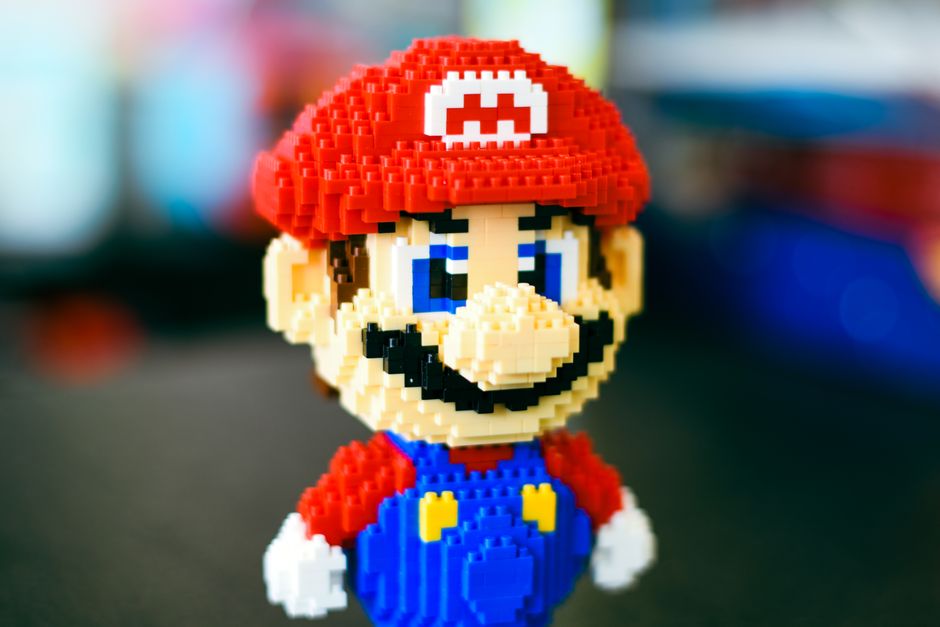
4. Keep Backgrounds Simple
Avoid complex backgrounds with bright elements that compete with the avatar’s main silhouette. Instead, a Visit this website subtle gradient or solid background is often better.
Summary Checklist to Maximize Light Mode Contrast and PFP Visibility
- Focus on strong silhouette recognition: bold and simple shapes with contrasting outlines
- Design mobile-first: prioritize face clarity and avoid tiny details
- Use contrasting borders/glows: light-colored borders enhance dark avatars on light feeds
- Simplify backgrounds: release busy patterns and opt for clean, flat colors
- Highlight facial expressions: use light accents and shadows to improve readability
- Test under light and dark modes: preview with circular crops on multiple devices
Final Thoughts
A dark-themed PFP can look sleek and mysterious but requires careful design to shine across light mode feeds, especially on platforms like Discord where themes vary widely and mobile visibility is a priority. By paying close attention to silhouette recognition, mobile-first design, contrast, and facial expression clarity—combined with practical touches like borders and simplified backgrounds—you can create an avatar that is visually striking, memorable, and highly readable no matter where your community meets you.
Remember, always preview your dark-themed PFP on both light and dark mode before calling it done. If you are a Discord user or esports team looking to standardize avatars for readability, keep these tips in your toolbox. Your identity deserves to stand out with every ping!